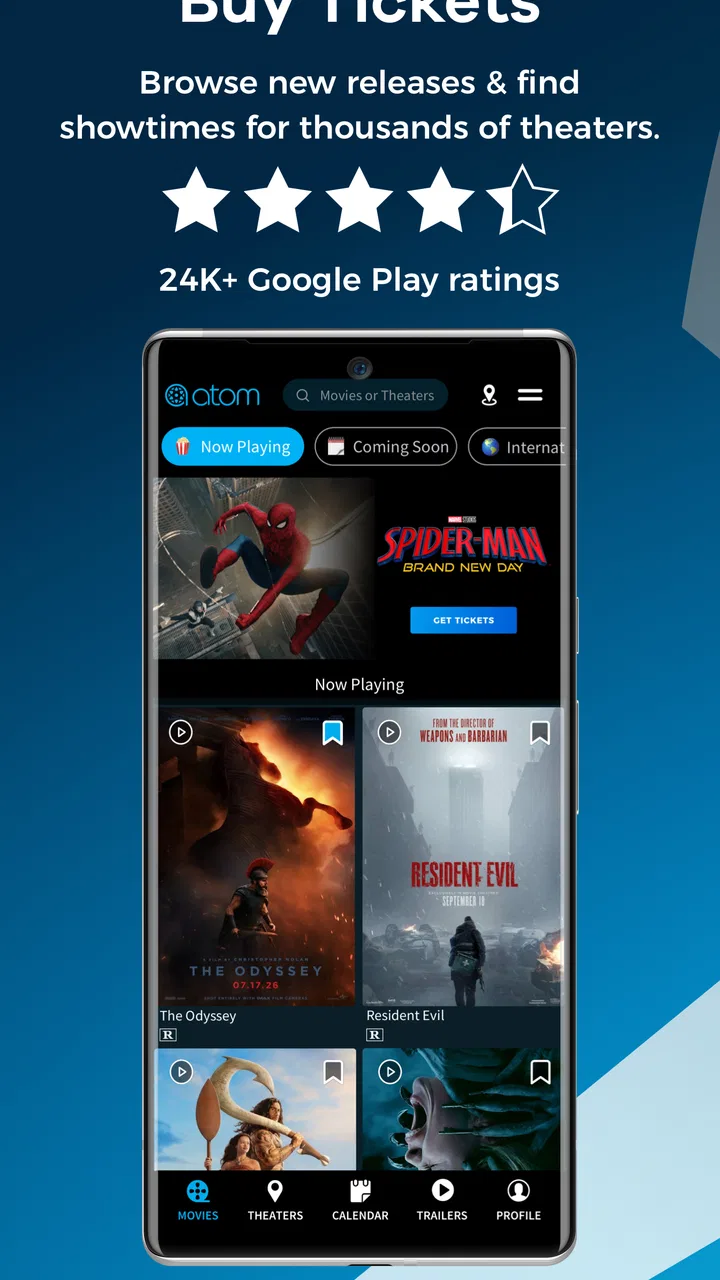
Atom - Movie Tickets & Times
- 4.2
- Rating
- 1.00M
- Installs
- Free
- Price

 Analysis by App-foxy
Going to the cinema usually involves more than choosing a film. I often need to compare showtimes, decide where to sit, arrange tickets for other people, and work out whether snacks are worth adding once I am already on the way. Atom - Movie Tickets & Times brings those decisions into one entertainment app, with movie discovery, trailer viewing, ticket purchasing, and snack pre-ordering in the same place. After using it as a cinema-planning tool, I found its strongest quality is convenience rather than novelty: it can make a spontaneous movie trip feel much more organized.
The app is developed by Atom Tickets, LLC and is available free of charge. That makes it easy to try without committing money before deciding whether it fits your routine. It is aimed at Teen users, and the current version is 5.12.0 for devices running iOS 11 or later. The service has built a sizeable audience, with more than a million installs, a 4.2 average from roughly 25 thousand ratings, and about 7.9 thousand written reviews. Those figures suggest a well-established ticketing app, although popularity alone does not guarantee that it will be the best choice for every cinema or every kind of moviegoer.
Planning a cinema visit without jumping between apps
The first thing I noticed is that Atom is designed around the complete outing, not merely the moment of buying a seat. I can browse films, check trailers, look through available sessions, and move toward checkout without repeatedly switching between a cinema website, a video platform, and a separate ticket wallet. That flow is especially useful when I am deciding with someone else, because a trailer can help settle the choice before either of us commits to a showing.
You May Also Like

 Google Keep - Notes and lists
Google Keep’s Quiet Growth Shows the Appeal of Simpler Notes
As mobile work gets busier, Google Keep keeps winning a simple contest: capture a thought quickly, find it later, and get on with the day.

 Blood Strike: 2.5 Anniversary
Blood Strike’s Loadouts Turn Every Drop Into a Tactical Gamble
A close look at Blood Strike’s custom loadouts: how fast access to signature weapons reshapes its battle royale rhythm, rewards preparation, and narrows the gap between fights.

 Pandora - Music & Podcasts
Pandora’s Music Is Easy to Start, but Harder to Recover
Pandora’s strength is its low-effort path from a seed to a station. Its weak spot is how much confidence it asks you to place in connection, setup, and quiet recovery.

 8 Ball Pool
 Is Built on Rivalries, Rematches, and Routine
A close look at the rivalries, rematches, shared routines, and unanswered safety questions that turn a quick pool match into a persistent mobile community.

 Samsung Music
’s Quiet Strength Is Playing What You Already Own
Its reach comes less from spectacle than from dependable access to a personal library. That simplicity is both the app’s strongest retention engine and its ceiling.

 AccuWeather: Weather Radar
AccuWeather Review: A Quick, Clear Forecast for Everyday Decisions
For everyday plans, the best forecast is the one you can understand quickly. AccuWeather makes rain timing, radar, and local conditions easy to act on, with a few trade-offs.
More From Our News Desk



That sounds simple, but it changes how the app feels in everyday use. A cinema website often assumes I already know the movie, location, and approximate time. Atom is more suitable when I am still making those decisions. I can begin with the film, then consider showtimes, or start from a nearby cinema and see what is playing. The app therefore works as both a discovery tool and a transaction tool, rather than treating those as separate tasks.
I also like the practical role of trailers. They are not a replacement for a full review, but they are useful when a group is split between several releases. Instead of leaving the app to search for a trailer elsewhere, I can use that extra context while comparing films. This is one of the small workflow advantages that is easy to overlook in a store description: fewer interruptions can make group planning faster, particularly when everyone is messaging from different places.
Where the free price matters
Because the app itself is free, the initial decision is low risk. I can install it to explore showtimes and see whether it suits my local cinema habits without paying an access fee. That is a meaningful advantage over any service that places its planning tools behind a subscription. The free download does not mean the cinema visit itself is free; tickets and any selected food are still part of the purchase decision. I see Atom as a free ordering layer around a paid outing, not as a way to reduce the underlying cost of going to the movies.
That distinction is important when judging value. If I already know the cinema’s website works well and I only buy a ticket occasionally, Atom may not save enough effort to change my routine. On the other hand, if I regularly arrange outings for friends or family, the ability to handle discovery, showtimes, tickets, and snacks in one app can justify keeping it installed even though the actual admission remains a separate expense.
I would also avoid assuming that a free app automatically produces the cheapest booking. The price of a movie visit depends on the selected ticket and whatever is added during checkout, while the app’s clear value is convenience. I would compare the final purchase amount with the cinema’s usual booking route when the total matters more than speed. That is a sensible habit for anyone working with a tight budget, because a smoother checkout is not the same thing as a lower ticket price.
A realistic Friday-night use case
Imagine I finish work on Friday and want to see a film with two friends. One person wants an action movie, another prefers a comedy, and nobody wants to spend half an hour opening separate cinema pages. I can use Atom to look at the available films, play trailers for the realistic options, and compare sessions before sending the choice to the group. Once we agree, I can continue into ticket booking rather than restarting the process somewhere else.
The snack option becomes useful at the next stage. If we know we will arrive close to the start time, pre-ordering food can reduce the number of decisions at the counter. It can also help a group coordinate what it wants before reaching the cinema. I would still check the order carefully, because adding snacks makes the outing more expensive and may be unnecessary if the theater visit is meant to stay simple. The feature is valuable when convenience is the priority, not when I am trying to minimize every extra purchase.
For a family outing, the same workflow has a different benefit. I can settle the film and session before arriving, which reduces the chance of having to negotiate in a crowded lobby. For a solo visit, the advantage is smaller but still real: the app helps me turn a vague idea into a specific showing with fewer steps. Atom is at its best when the planning itself is the annoying part.
How it compares with ordinary alternatives
The usual alternatives are a cinema’s own app or website, a general movie-information service, and simply buying at the theater. Each option has a different strength. A cinema’s direct channel may feel more focused if I always visit one chain and already know its layout. A general movie app may be better for broad discovery or editorial information. Buying at the counter avoids learning another digital workflow, but it gives me less control when popular sessions are filling up or when I am coordinating several people.
Atom’s middle position is what makes it interesting. It is more transaction-focused than a general entertainment guide, yet more discovery-friendly than a basic checkout page. The combination of trailers, times, ticket purchasing, and snack pre-ordering gives it a broader role than a simple showtime list. I would choose it when I want one place to move from “What should we see?” to “How are we getting there?”
There is a trade-off in that broader role. A cinema-specific app may offer a more direct experience for someone loyal to one venue, while Atom’s usefulness depends on how well it fits the cinemas and sessions I actually use. I would not install it purely because it has many users. I would first search for a familiar local movie and see whether the results and booking path feel natural. That quick test tells me more than the download count.
Small workflow strengths and real points of friction
One of the less obvious strengths is that the app supports different stages of commitment. I can browse without immediately deciding, use a trailer to narrow the options, inspect times, and only then enter the purchase flow. That is helpful for people who dislike being pushed straight into a transaction. It also makes the app useful before a movie night has a fixed plan, rather than only after the film and session are already chosen.
Another practical strength is group preparation. When several people are involved, the difficult part is often not the ticket itself but agreeing on a film and time. Atom’s combined browsing and booking flow gives me a clear sequence for that conversation. I can make the decision with the group first and handle the ticket step afterward. This is more efficient than asking everyone to search separately and then reconciling different cinema pages, times, and seat choices.
The snack pre-ordering option is a genuine convenience, but I see it as situational rather than essential. It makes sense when I am trying to avoid a queue or when a group wants to decide food in advance. It is less attractive when I am watching spending, arriving early, or simply do not want to buy concessions. The feature adds value because it is available at the right point in the booking journey, but it also creates an easy opportunity to increase the total cost of a night out.
The main friction is that convenience can make the purchase feel deceptively effortless. Browsing, selecting a session, buying tickets, and adding food can happen in one continuous flow, so I would pause before confirming and review the entire order. That is not a criticism unique to Atom’s interface; it is a general risk whenever planning and purchasing are combined. The app helps me act quickly, but I still need to make the final spending decision deliberately.
I also would not treat trailer access as a complete substitute for researching a film. A trailer can show tone and basic premise, but it may not answer questions about suitability for everyone in a group. Since the content rating for the app is Teen, I would still use my own judgment about the individual movie, especially when arranging a family outing. The app is a useful starting point, not a personal recommendation engine that removes the need to think.
Who will notice the most value
Atom is a strong fit for people who go to different cinemas, compare several sessions, or frequently organize movie trips with others. It is also useful for anyone who likes to decide while already on the move. The free access makes it easy to keep available for occasional plans, and the combination of showtimes, trailers, tickets, and snacks means I do not need to decide in advance which part of the outing I am ready to organize.
It is particularly appealing to a group coordinator. If I am the person who usually collects everyone’s preferences, finds a workable time, and makes sure nobody forgets the plan, the app reduces the amount of separate searching involved. The benefit is not just speed; it is fewer opportunities for someone to misunderstand which film, cinema, or session the group selected.
Frequent moviegoers may also appreciate having a familiar planning route, but they should judge the app against their existing cinema loyalty. If I always visit the same theater and its own booking system already handles everything I need, Atom may offer only a modest improvement. In that situation, the best reason to use it would be easier cross-cinema comparison or a more comfortable discovery process, not the assumption that every booking will be better.
I would skip it if I rarely use digital ticketing, prefer buying directly at the venue, or want a service focused mainly on reviews and film news rather than transactions. It is also not the right choice for someone who sees pre-ordering snacks as an unwanted temptation. The app can keep the outing organized, but it cannot make a paid cinema trip economical if the main problem is the cost of admission and concessions.
Questions I would answer before installing
Is it worth trying if I only go to the cinema occasionally? Yes, if you value quick planning and do not want to pay for access. Since the app is free, an occasional user can install it when a movie comes up, compare the available sessions, and remove it later if it does not fit. The benefit will be modest for someone who already knows the exact theater and simply buys at the counter.
Can it replace a cinema’s own app? Sometimes, but I would not assume that in every situation. Atom is attractive when I want discovery across movie options and a unified path to tickets and snacks. A cinema’s own service may feel more direct for a regular visitor who cares about one particular venue. The better choice depends on whether I value broader planning or a single-cinema routine.
Should I use the snack feature every time? No. I would use it when arriving late, coordinating a group, or trying to reduce lobby decisions. I would leave it out when I am controlling the budget or when the cinema visit is casual enough that buying nothing extra is preferable. Its usefulness comes from flexibility, not from being a required part of booking.
Will the app suit every device? The listed minimum is iOS 11, so I would check the operating system before trying to install it on an older iPhone or iPad. On a compatible device, the current release is 5.12.0. That version detail matters for anyone maintaining an older handset, because compatibility is a practical question rather than a feature preference.
Does the rating make it a safe choice for children? The app itself carries a Teen content rating, so I would not treat it as a children’s entertainment app. More importantly, the films available through it can vary in maturity. Parents should make the movie decision separately and use the app as a ticket-planning tool, not as a guarantee that every title is suitable for younger viewers.
My final choice for a movie-planning tool
I recommend Atom when the value I want is less friction between choosing a film and arriving with tickets ready. Its free access gives it a fair chance to earn a place on my phone, while the combined trailer, showtime, ticket, and snack workflow makes it more useful than a bare ticket page. I especially appreciate it for group plans, last-minute decisions, and evenings when I want to settle the practical details before reaching the theater.
My recommendation is more cautious if price is the only priority. The app does not turn a cinema outing into a free activity, and adding food can make the final purchase larger. I would compare the final cost with direct cinema booking when savings matter, then choose Atom when its convenience is worth the difference in effort. That is a clearer way to judge it than treating the free download as proof of financial value.
Overall, I see Atom Tickets, LLC’s app as a capable entertainment companion for people who want cinema planning and purchasing in one place. It is not essential for every moviegoer, and a direct theater route may be better for a loyal single-venue customer. For me, though, the app earns its recommendation by handling the messy middle of a movie night: discovering what to watch, agreeing on a time, arranging the tickets, and deciding whether snacks belong in the plan.
FAQs for Atom - Movie Tickets & Times
01What is Atom - Movie Tickets & Times?
Atom - Movie Tickets & Times is a convenient app that allows users to browse movie showtimes, purchase tickets, and even pre-order concessions all from their mobile devices. It offers a streamlined experience for moviegoers, providing up-to-date information on the latest movie releases and theater schedules.
02How do I purchase tickets using Atom?
To purchase tickets on Atom, simply select your desired movie and showtime, choose your preferred seats (if available), and proceed to checkout. You can pay using various payment methods, including credit cards and digital wallets. Once your purchase is complete, you’ll receive a digital ticket to show at the theater.
03Are there any fees associated with using Atom?
Atom may charge a small convenience fee for processing ticket purchases. However, this fee often varies based on the theater and location. Occasionally, promotions or discounts may offset this fee. It's always a good idea to check the final total at checkout to see any additional costs.
04Can I cancel or change my ticket purchase?
Yes, Atom allows users to cancel or exchange tickets, but this is subject to the theater's policy. Typically, you can make changes up to the showtime, but it’s important to review specific terms for each theater. The app provides an easy interface to manage these changes directly from your account.
05Does Atom offer any rewards or loyalty programs?
Atom frequently partners with theaters and studios to offer exclusive promotions, discounts, and loyalty rewards. Users can often find special deals, such as discounted tickets or combo offers. Additionally, some theaters have integrated loyalty programs, allowing you to earn points or rewards through the app.
Pros
- User-friendly interface with intuitive navigation.
- Offers exclusive deals and discounts on tickets.
- Supports multiple payment methods for convenience.
- Easy to invite friends and plan group outings.
- Integrates with loyalty programs for rewards.
Cons
- Limited to participating theaters only.
- Occasional glitches in ticket booking process.
- Requires account creation for full features.
- Location services need to be enabled for accuracy.
- No option for refund on last-minute cancellations.

Atom - Movie Tickets & Times
Gallery